
















Diagnose sodium alginate printing defects by separating paste preparation, screen or transfer behavior, fixation and wash-off. First compare the failed batch with an approved reference for viscosity, hydration, filtration, pH, additives and holding time; then change one variable at a time to avoid masking the real cause.
Use the table below for triage, then follow the symptom-specific checks in this guide. If the defect began with a new raw-material lot, retain paste and fabric samples and compare the supplier certificate with incoming QC data for textile-grade sodium alginate.
Sodium Alginate Defect Triage Table
| Симптом | First checks | Escalate when |
|---|---|---|
| Bleeding or soft edges | Viscosity, fabric absorbency, screen pressure, paste solids | Reference paste prints correctly under the same conditions |
| Screen blockage or streaks | Hydration, filtration, insolubles, dried paste, mesh condition | Particles recur after controlled preparation and filtration |
| Low color yield | Dye and alkali addition, fixation, penetration, wash-off | Same recipe changes only with the alginate lot or grade |
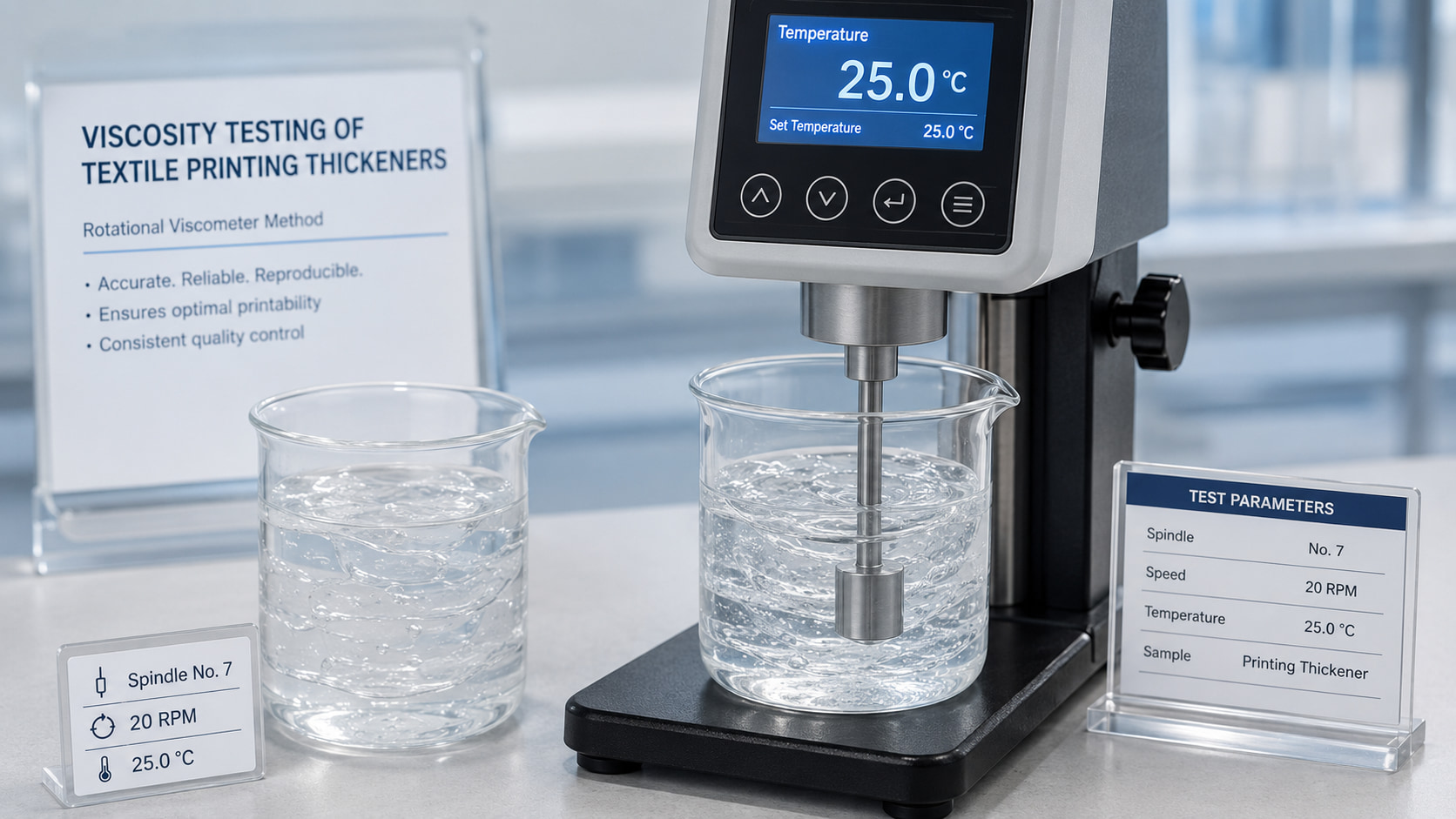
| Изменение вязкости | Water quality, mix order, rest time, temperature, holding time | Drift exceeds the approved time-window specification |
| Uneven shade | Paste homogeneity, squeegee or screen condition, fabric pretreatment | Defect follows the paste batch across machines or fabric rolls |
Расплывание цветов и размытые края узоров
Симптом
Вероятные причины, в порядке убывания вероятности
- Вязкость пасты в месте печати слишком низкая — проверяйте вязкость при температуре в типографском цехе, а не только на этапе подготовки; тепло окружающей среды может снизить рабочую вязкость ниже заданного значения
- Клей испортился во время хранения — сравните текущую вязкость с вязкостью партии на этапе начала приготовления; значительное снижение свидетельствует о порче продукта
- Плотность сетки слишком низкая для такой тонкости рисунка — для нанесения узоров с тонкой линией необходимы как соответствующая вязкость пасты, так и достаточно мелкое сито; крупное сито пропускает больше пасты за один ход независимо от вязкости
- Чрезмерное давление скребка — пропускает через сито больше пасты, чем требуется по рисунку, что увеличивает вероятность ее растекания в стороны
Первые проверки
Глубина цвета ниже ожидаемой
Симптом
Цвет отпечатка заметно светлее, чем требуемый оттенок, несмотря на то что использованы стандартная концентрация красителя и рецептура, которые обычно позволяют добиться необходимой насыщенности.
Вероятные причины, в порядке убывания вероятности
- Снижение скорости фиксации красителя — концентрация щелочи ниже эффективного порогового значения, недостаточное время или температура пропаривания либо недостаточное удержание влаги во время пропаривания (часто связано с содержанием мочевины или пересыханием пасты до начала пропаривания)
- Разрушение пасты, снижающее эффективную доступность красителя — у партий пасты с ухудшенным качеством или загрязненной пасты может наблюдаться снижение цветоотдачи даже при правильной концентрации красителя
- Загуститель, конкурирующий с красителем — если используется загуститель или смесь, не содержащая альгината, некоторые загустители могут вступать в реакцию с реактивным красителем в щелочной среде, поглощая краситель, который в противном случае закрепился бы на волокне
- Проблемы с насыщением пара — ненасыщенный или перегретый пар высушивает пленку пасты, а не поддерживает влажность, необходимую для фиксации
Первые проверки
Сначала убедитесь, что условия обработки паром (температура, время, степень насыщения пара) соответствуют техническим требованиям, поскольку это наиболее частая первопричина. Если правильность обработки паром подтверждена, перейдите на новую партию пасты и сравните цветную отдачу — улучшение результата указывает на причину, связанную с пастой. Более подробную информацию см. в нашем руководстве по фиксация активных красителей.
Колебания глубины цвета в пределах одной партии продукции
Симптом
Первые оттиски в тираже отличаются по глубине цвета от более поздних, либо глубина цвета постепенно меняется в ходе печати, даже несмотря на то, что паста была правильно приготовлена в начале.
Вероятные причины, в порядке убывания вероятности
- Изменение вязкости в ходе работы — вызванные изменением температуры, механическим сдвигом в системах непрерывного перемешивания, деградацией под воздействием щелочей с течением времени или испарением в системах с открытой пастой
- Несоответствие в составе пасты между партиями — если в ходе длительного цикла производства используется несколько партий, колебания вязкости между партиями будут проявляться в виде разницы в глубине между партиями
Первые проверки
Измеряйте вязкость пасты через определенные промежутки времени на протяжении всего цикла — на этапе подготовки, в середине цикла и по его окончании — чтобы определить, изменяется ли вязкость и как быстро. Более подробную информацию см. в нашем руководстве по стабильность вязкости.
Изменение глубины цвета по ширине ткани
Симптом
В пределах одного принта глубина цвета варьируется от одного края ткани к другому или образует узор, например, более темные края и более светлая середина (или наоборот), а не изменяется с течением времени.
Вероятные причины, в порядке убывания вероятности
- Неравномерное нанесение пасты — неравномерное давление ракеля по всей ширине сита или колебания натяжения сита
- Неоднородность вязкости пасты в пределах одной партии — неполное растворение или отделение компонентов в пастовом лотке
- Неравномерное распределение пара в пароварке — влияет на равномерность закрепления по всей ширине ткани независимо от способа нанесения пасты
Первые проверки
Определите вязкость пасты в нескольких точках пастового лотка (впереди, посередине, сзади), чтобы убедиться в однородности партии. Если паста однородна, то причина, скорее всего, кроется в механических факторах (скребок, сито) или связана с распределением пара, а не с самой пастой.
Закупорка или засорение экрана
Симптом
Паста не проходит ровно через ячейки сетки, в результате чего в рисунке появляются пробелы или участки с неполным покрытием; для поддержания качества печати сетку приходится чистить чаще, чем обычно.
Вероятные причины, в порядке убывания вероятности
- Нерастворимые частицы в пасте — неполное растворение при приготовлении или использование альгината натрия, содержание нерастворимых веществ в котором превышает допустимые пределы, установленные для данного типа сетки
- Высыхание пасты на поверхности сетки — скорость печати слишком низкая для используемой вязкости пасты или низкая влажность воздуха, приводящая к быстрому высыханию поверхности
- Недостаточная очистка экрана между циклами — остатки высохшей пасты от предыдущего цикла, частично закупоривающие ячейки сетки
Первые проверки
Процедите образец приготовленной пасты через мелкоячеистую сетку и проверьте, остались ли в ней частицы — это позволит исключить причины, связанные с растворимостью. Если паста после фильтрации остается чистой, проверьте соотношение скорости печати и вязкости пасты, а также убедитесь в правильном выполнении процедуры очистки трафарета между циклами печати. Более подробную информацию см. в наших руководствах по подготовка пасты и выбор размера ячейки.
Комочки или видимые частицы в готовой пасте
Симптом
В готовой пасте присутствуют видимые комочки или зернистые частицы, которые не растворяются даже при продолжительном перемешивании.
Вероятные причины, в порядке убывания вероятности
- При приготовлении порошок был добавлен слишком быстро — что приводит к гидратации поверхности и образованию комков до того, как частицы полностью рассеются
- Недостаточное время перемешивания — особенно актуально для сетчатых фракций с более крупными ячейками или при растворении в холодной воде
- Жесткая вода, препятствующая растворению — высокое содержание кальция или магния может привести к частичному сшиванию и образованию гелевых частиц
Первые проверки
Сравните скорость добавления порошка и общее время перемешивания с указаниями в стандартной процедуре. Если при правильном выполнении процедуры комки по-прежнему остаются, проверьте жесткость воды. Более подробную информацию см. в нашем руководстве по подготовка пасты.
Стойкость к стирке ниже, чем предусмотрено техническими требованиями заказчика
Симптом
Ткань с принтом соответствует требованиям к визуальному качеству цвета, но не проходит испытания на стойкость цвета при стирке в соответствии со стандартами, указанными заказчиком (например, ISO 105-C06 или эквивалентным стандартом AATCC), демонстрируя чрезмерную потерю цвета или окрашивание соседних участков ткани во время испытания на стирку.
Вероятные причины, в порядке убывания вероятности
- Неполное смывание после обработки паром — Незакрепленный и гидролизованный краситель, остающийся на поверхности ткани, является наиболее распространённой причиной низкой стойкости цвета при стирке, несмотря на приемлемый первоначальный внешний вид цвета
- Низкий показатель фиксации — даже при тщательном смывании, если степень фиксации изначально низкая, тест на смываемость выявит это, даже если до смывания это не было заметно визуально
- Остаточный уплотнитель удерживает незакрепленный краситель — неполное удаление пасты может привести к тому, что незакрепленный краситель останется у поверхности волокна, откуда он вымывается во время испытания на стирку, проводимого покупателем
Первые проверки
Сначала проверьте условия промывки (температуру, время, концентрацию моющего средства) в сравнении с вашей стандартной процедурой, поскольку это наиболее частая и наиболее легко устранимая причина. Если будет подтверждено, что промывка выполнена надлежащим образом, проверьте скорость фиксации. Более подробную информацию см. в наших руководствах по стойкость цвета и фиксация активных красителей.
Загустение или гелеобразование пасты при хранении
Симптом
В процессе хранения готовая паста становится заметно гуще или частично загустевает, а не сохраняет свою вязкость или теряет её.
Вероятные причины, в порядке убывания вероятности
- Загрязнение кальцием или другими двухвалентными ионами — из-за жесткости воды, остатков на оборудовании или перекрестного загрязнения от другого химического вещества в зоне приготовления
- Температура хранения в холодильной камере — при воздействии на пасту очень низких температур может произойти частичное желирование, особенно в случае марок с более низким содержанием сухого вещества (DS)
Первые проверки
Проверьте жесткость воды, используемой при приготовлении, и убедитесь, что емкости для хранения и оборудование для смешивания чистые и не содержат остатков других химических веществ. Если паста хранилась в холодильнике, перед проверкой дайте ей постепенно нагреться до комнатной температуры.
Посторонний запах или видимый рост микроорганизмов в хранящейся пасте
Симптом
В процессе хранения паста приобретает кислый, затхлый или броженный запах, что иногда сопровождается заметным изменением цвета или появлением пленки на поверхности.
Вероятные причины
- Микробное разложение — почти всегда является причиной появления постороннего запаха; вероятность его возникновения выше в условиях теплого или влажного хранения, при длительном хранении или в загрязненной таре
Первые проверки
Утилизируйте поврежденную партию — не используйте в производстве пасту с посторонним запахом. Проверьте температуру хранения, чистоту тары, а также соответствие размера партии и срока годности условиям вашего климата. Более подробную информацию см. в нашем руководстве по условия хранения и срок годности.
Как пользоваться этим руководством
Дефекты печати зачастую имеют более одной вероятной причины, и самый быстрый путь к их устранению обычно заключается в том, чтобы сначала проверить наиболее вероятную причину, а не изменять сразу несколько переменных. При поиске и устранении неисправностей изменяйте по одной переменной за раз и фиксируйте результат — это позволяет составить более достоверную картину конкретных условий вашего производства, чем предположения, основанные исключительно на общих принципах.
Часто задаваемые вопросы
What should be checked first when reactive prints start bleeding?
Compare viscosity and paste solids with the approved reference, then check fabric absorbency, screen or squeegee settings and whether the paste exceeded its qualified holding time.
Why does sodium alginate paste block a screen?
Common causes include incomplete hydration, agglomerates, insoluble contamination, inadequate filtration or dried paste at the screen. Confirm preparation and filtration before blaming viscosity alone.
Can low color yield be caused by the thickener?
It can contribute through penetration, rheology or impurities, but dye concentration, alkali, fixation and wash-off must be checked in parallel. Run a controlled reference-paste comparison.
How can a mill investigate viscosity drift?
Record viscosity with one method at defined intervals and temperature, while controlling water quality, mix order, hydration, additives and storage conditions.
When should a supplier sample be requested?
Request a retained or replacement sample when the defect correlates with a new lot or grade and continues after machine, fabric and preparation variables have been controlled. Use Образцы и подбор продукции for a side-by-side trial.
Как FSX Chemical помогает в процессе устранения неисправностей
Следующие шаги:
- Запросить TDS — проверьте соответствие характеристик используемого в настоящее время сорта требованиям вашей рецептуры
- Запросить сертификат анализа (CoA) — убедитесь, что текущая партия соответствует заявленным техническим характеристикам, прежде чем исключать сырье в качестве причины
- Запросить образец — попробуйте использовать альтернативный сорт, если в ходе устранения неисправностей выяснится, что характеристики не соответствуют требованиям
- Свяжитесь с нашей технической службой — для получения практической помощи по устранению неисправностей, связанных с вашей конкретной неисправностью и условиями технологического процессаусловия 📧 Электронная почта: Service@fsxchemical.com